You-Attend · Attendance Toolbox
Crossword
Turn a week’s vocabulary into a puzzle that builds itself, and take attendance while students solve it.
What it does
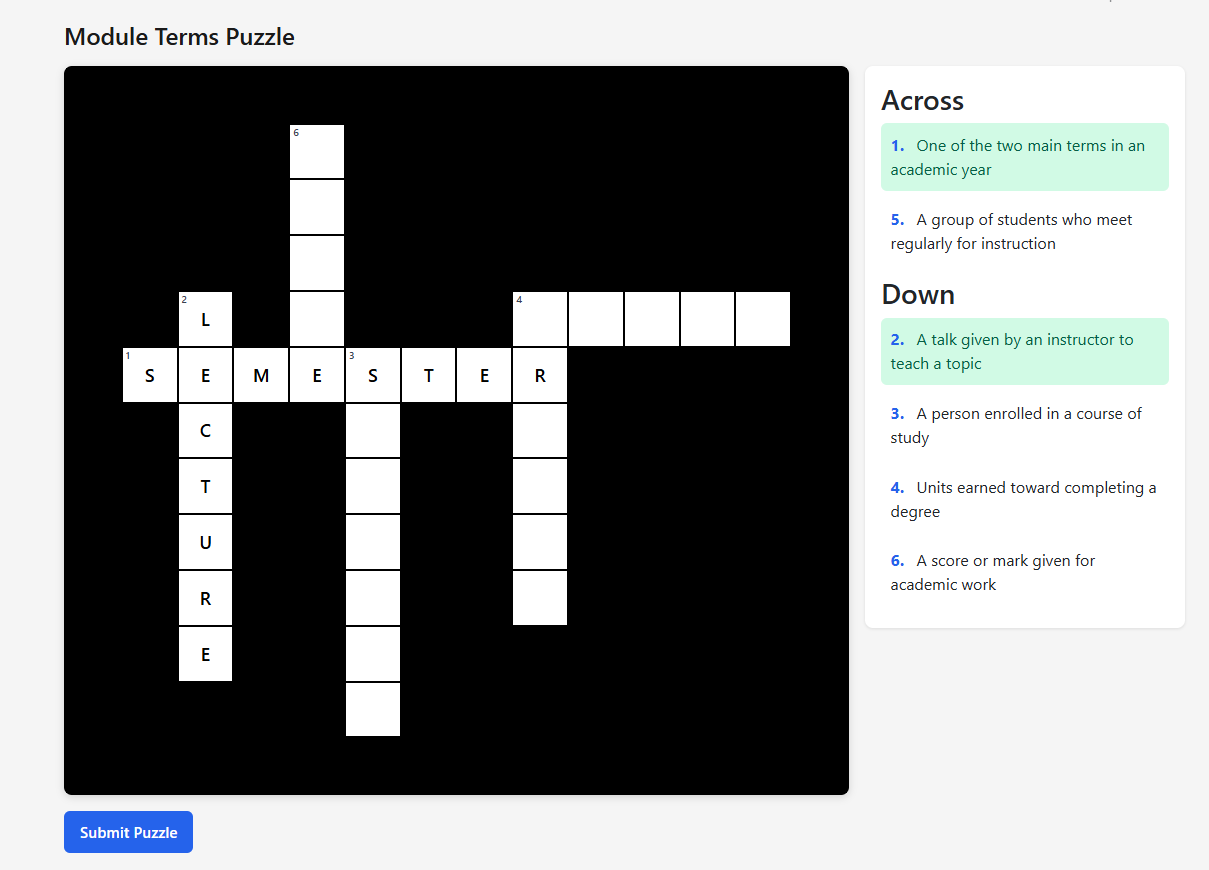
You give Crossword a list of terms and their definitions. It lays them out into a grid on its own, numbers them, and splits the definitions into Across and Down clues. Students fill the grid in and submit, and submitting records their attendance.
Nothing goes to your gradebook. It is a way to spend ten minutes on the week’s vocabulary and have the register take care of itself.
Writing the terms
Terms go in one box, one per line: the word, a vertical bar, then the definition that becomes its clue.
WORD | definition
FIRE | Rapid oxidation that releases heat and light
ENTHALPY | Total heat content of a system
CATALYST | Speeds a reaction without being consumed
The word is what students type into the grid; the definition is the clue they read. Every line needs both halves — a line with no vertical bar is not a term, and saving tells you so.
Two things worth knowing when you choose the words. The puzzle is built by fitting words together where their letters cross, so terms that share letters produce a tighter grid, and a set of words with nothing in common produces a sparse one. And single words work far better than phrases.
Every setting
| Setting | What it does |
|---|---|
| Title | What the puzzle is called. |
| Time Limit (seconds, optional) | Counts down on the student’s screen from the moment they open the puzzle. In seconds, so five minutes is 300. Leave it empty for no limit. |
| Terms (one per line as: WORD | definition) | The whole puzzle. At least one valid term is required to save. |
| Enable Geo-Fencing | Off by default. Requires students to be near the classroom to open the puzzle. See Geo-Fencing. |
There is no gradebook column on a crossword and no score posted to your LMS.
What students see
A numbered grid with the clues beside it under Across and Down. Selecting a clue moves to its square. Clues can be reached with the keyboard as well as the mouse, so the puzzle works for a student who is not using one.
When every square is right they get Puzzle Complete!. They press Submit Puzzle to finish, and that is what records attendance — a student who solves it but never submits is not marked present.
Reading the results
The results list shows each student, their status, and when they submitted. It refreshes on its own while you have it open, so it fills up during the class without you reloading anything.
This is also where you approve a student who could not pass the location check, if geo-fencing is on.
If something is wrong
| What you see | What it usually is |
|---|---|
| Enter at least one valid term, in the format WORD | definition | A line is missing its vertical bar or its definition. Check for lines that wrapped, and for a stray blank line with only a word on it. |
| The grid is sparse, with words barely connected | The terms share few letters, so there are few places to cross them. Adding a couple of words that share common letters usually tightens it. |
| A term did not make it into the puzzle | It could not be fitted against the others. Rephrase it as a single word, or add a term that bridges it to the rest. |
| A student solved it but is not marked present | They did not press Submit Puzzle. Completing the grid is not submitting. |
| Some students cannot open the puzzle | Usually geo-fencing. Approve the ones who ask for an override, then widen the radius. See Geo-Fencing. |